MobiDevTools
DevTools-grade developer console for Firefox — built for Firefox for Android, fully usable on Desktop. Free, open, ad-free, zero data collection.
Version 4.1 · MIT License · © 2025–2026 Francesco De Stefano
Screenshots
What it does
MobiDevTools adds a DevTools panel to any web page. It runs entirely inside your browser: no remote calls, no telemetry, no external services. The panel is touch-optimized for Firefox for Android (large hit targets, gesture resize, safe-area aware) and works just as well on Desktop.
Tap the toolbar icon to open or close the panel. While it is closed, a small `` button on the page reopens it.
Panels
| Panel | What you get |
|---|---|
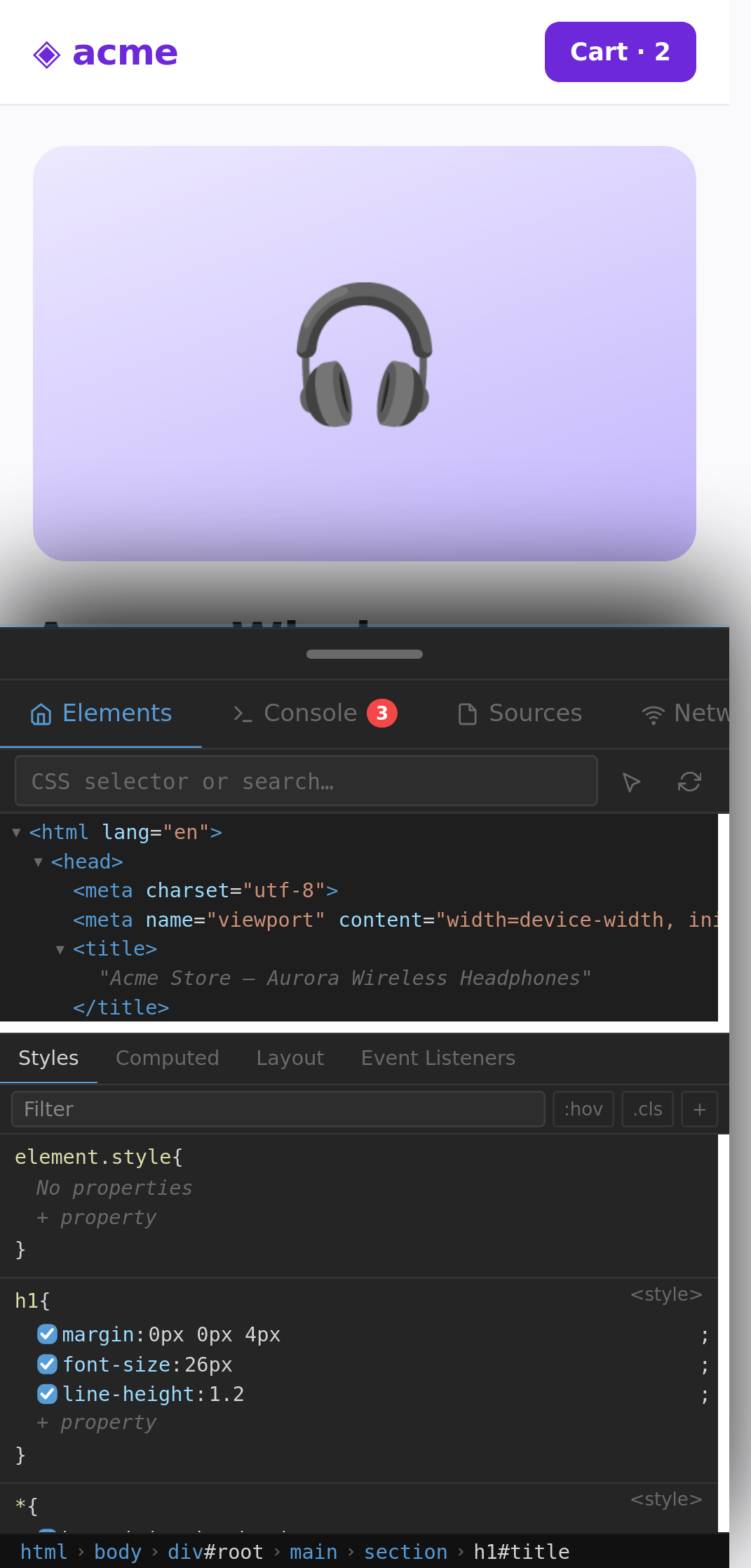
| Elements | Live DOM tree, element picker, breadcrumb. Styles shows the real matched CSS rules (selector, source file, @media), sorted by specificity, with overridden declarations struck through, !important, rules inherited from ancestors, live editing (values, names, toggles, new properties, new rules). Computed with box model and cascade trace. Layout shows box model, flex/grid properties and CSS Grid / Flexbox overlays drawn on the page. Event Listeners lists addEventListener listeners (with the file:line where they were added) and on* handlers, on the element, its ancestors, document and window. HTML editor and context menu. |
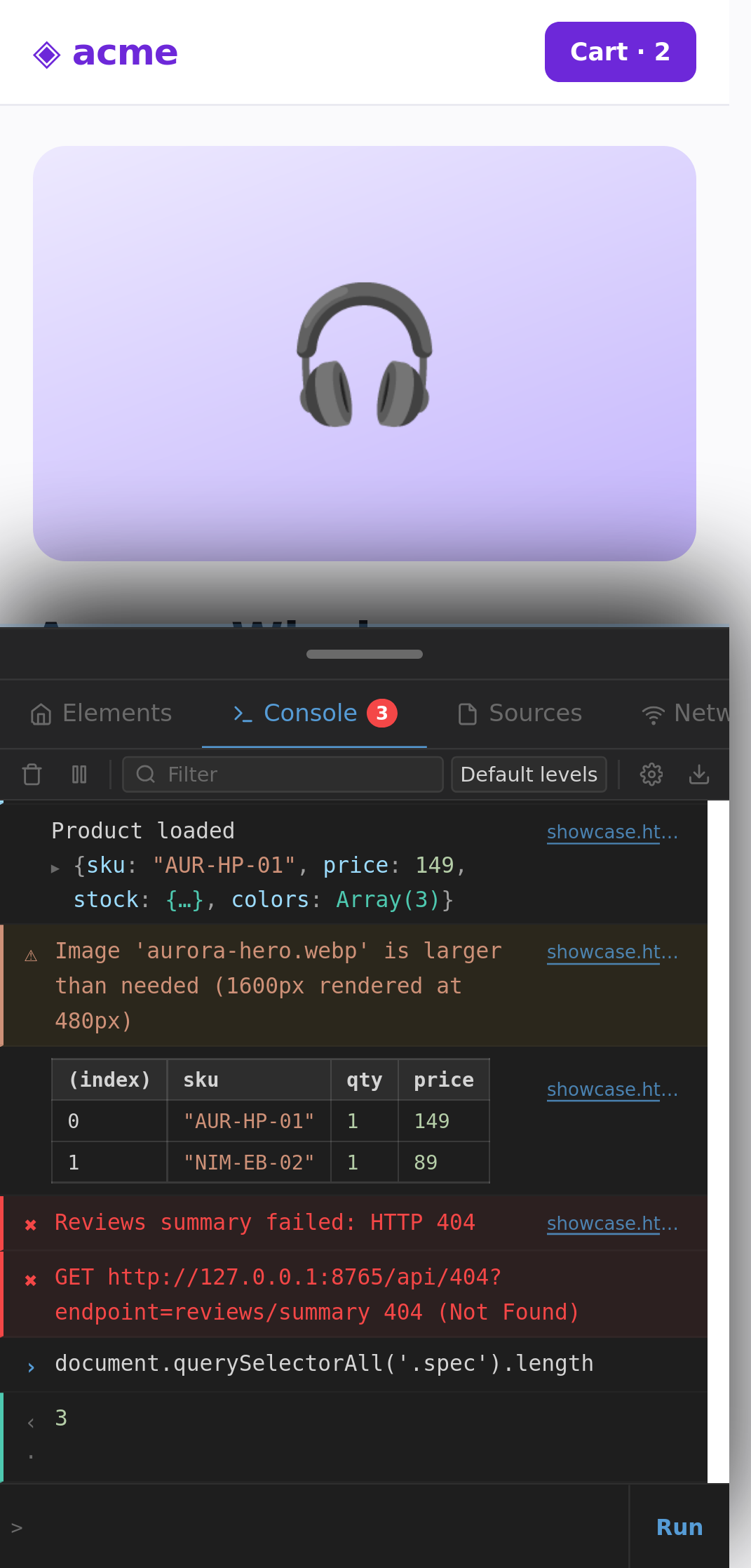
| Console | Everything the page logs (console.*, uncaught errors, unhandled rejections, failed resources, CSP violations) captured from the very first line after a reload. Chrome-style object inspector (expandable objects/arrays/Maps/Sets, DOM nodes that highlight and reveal, getters on demand). %c styling, console.table, groups, count, time, assert, trace. Clickable file:line links. Filters, levels, search, timestamps, preserve log across reloads. REPL with real autocomplete (page globals and object properties), history, multi-line input, top-level await, variables that persist between commands, and the command-line API ($0 $_ $ $$ $x copy inspect keys values dir table monitorEvents getEventListeners clear). Works on every page, including pages with a strict Content-Security-Policy. |
| Sources | File tree of the page (original HTML, scripts, stylesheets), virtualised viewer that opens large and minified files instantly, syntax highlighting, one-tap Pretty-print (JS/CSS/HTML), find in file, go to line, local Snippets (global, not per site), Workspace import, and Download all sources as .zip. Debugger sidebar with live watch expressions and logpoints (see Limitations). |
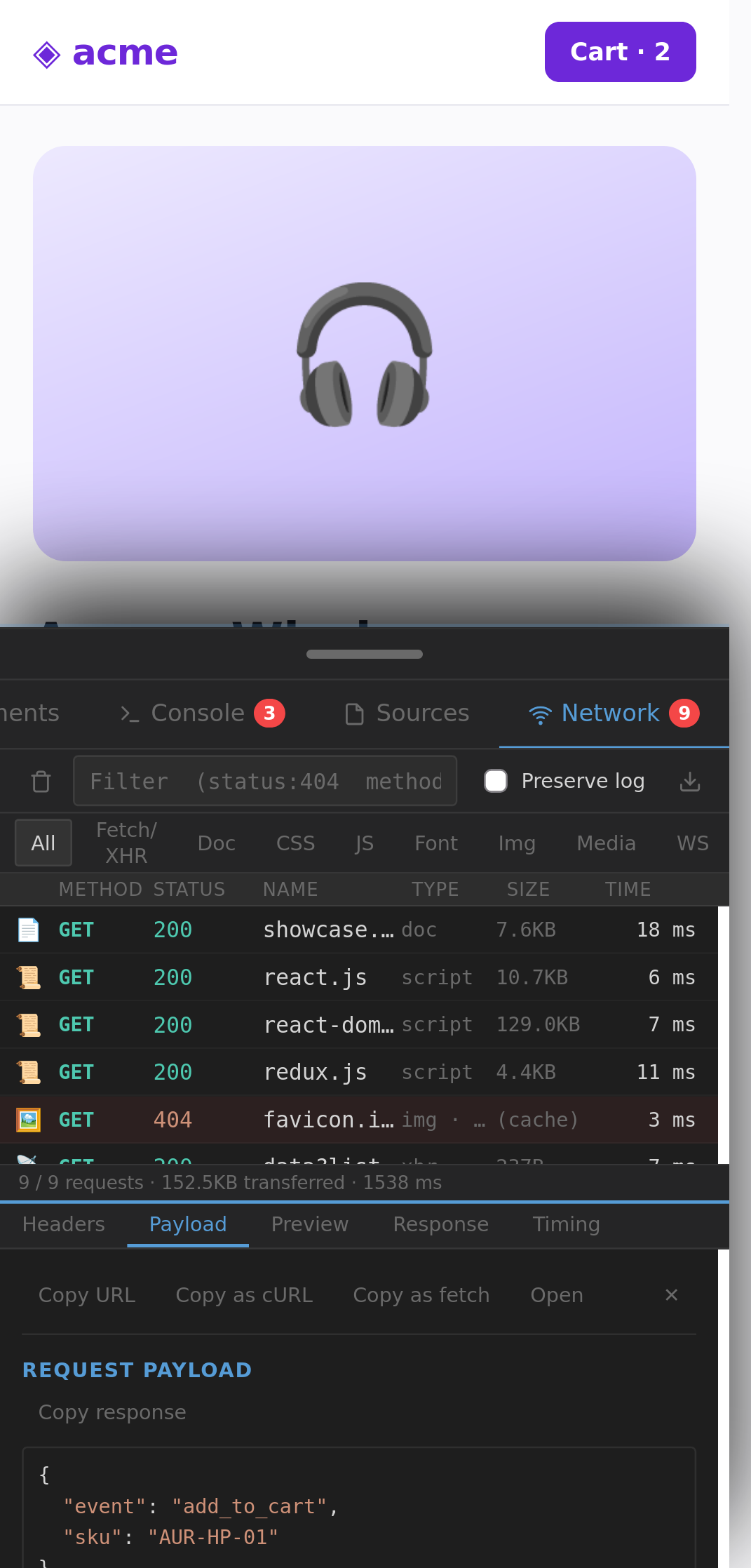
| Network | Every request of the page (documents, scripts, CSS, images, fonts, media, fetch/XHR, WebSocket), including the ones made before the panel was opened. Headers, query/form/raw payload, response body of fetch/XHR, JSON preview, image preview, timing breakdown, remote address, third-party / tracker flags. Type chips, advanced filter (status:404 method:post domain:x larger-than:10k -exclude), preserve log, copy as cURL / fetch, HAR export. |
| Performance | Live FPS, Core Web Vitals (FCP, LCP, INP, CLS), Navigation Timing, resource summary and slowest requests. |
| Application | localStorage / sessionStorage and cookies — editable (add, edit, delete) with JSON preview —, IndexedDB with record browsing, Cache Storage, manifest, service workers. |
| Device | User agent, viewport, screen, DPR, CPU, memory, connection. |
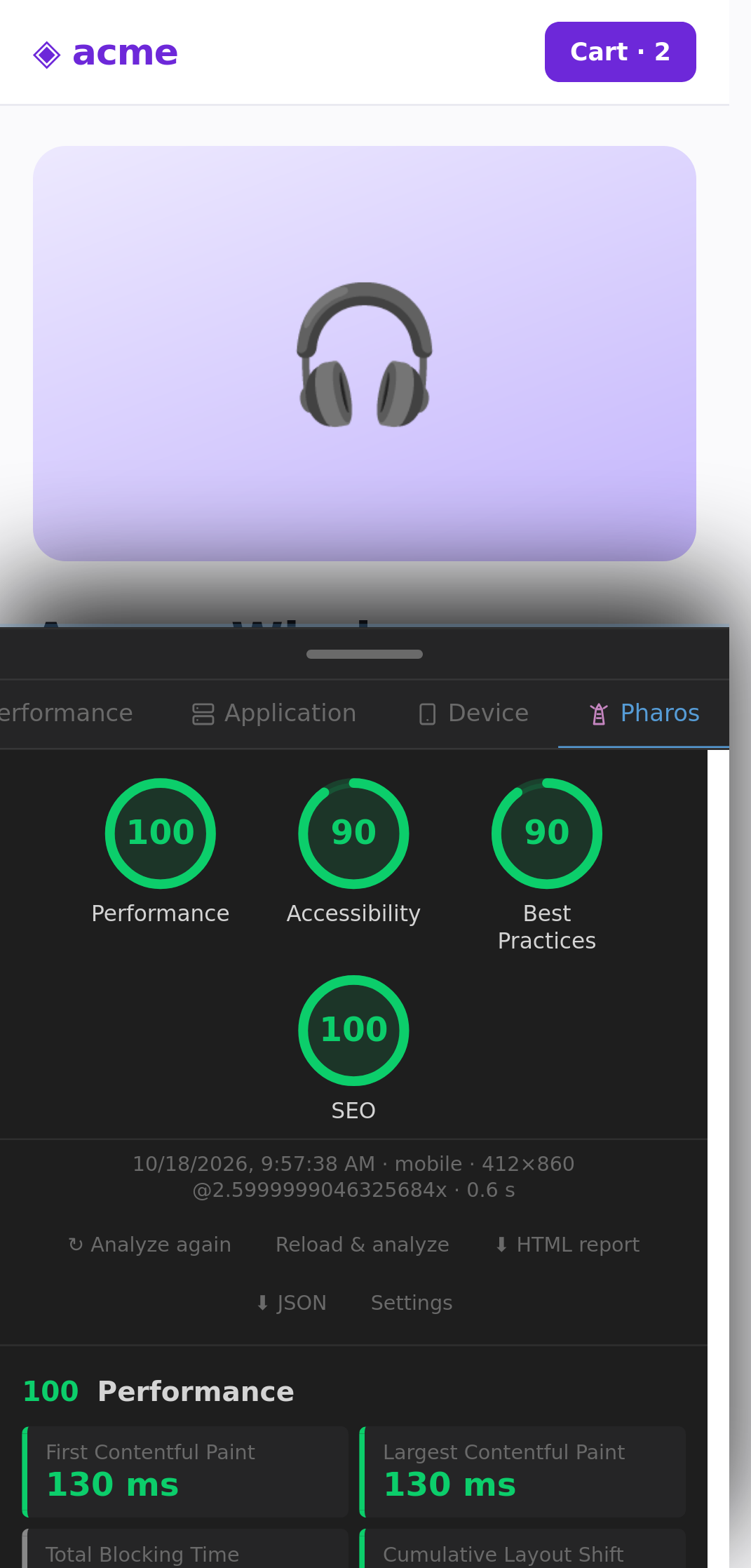
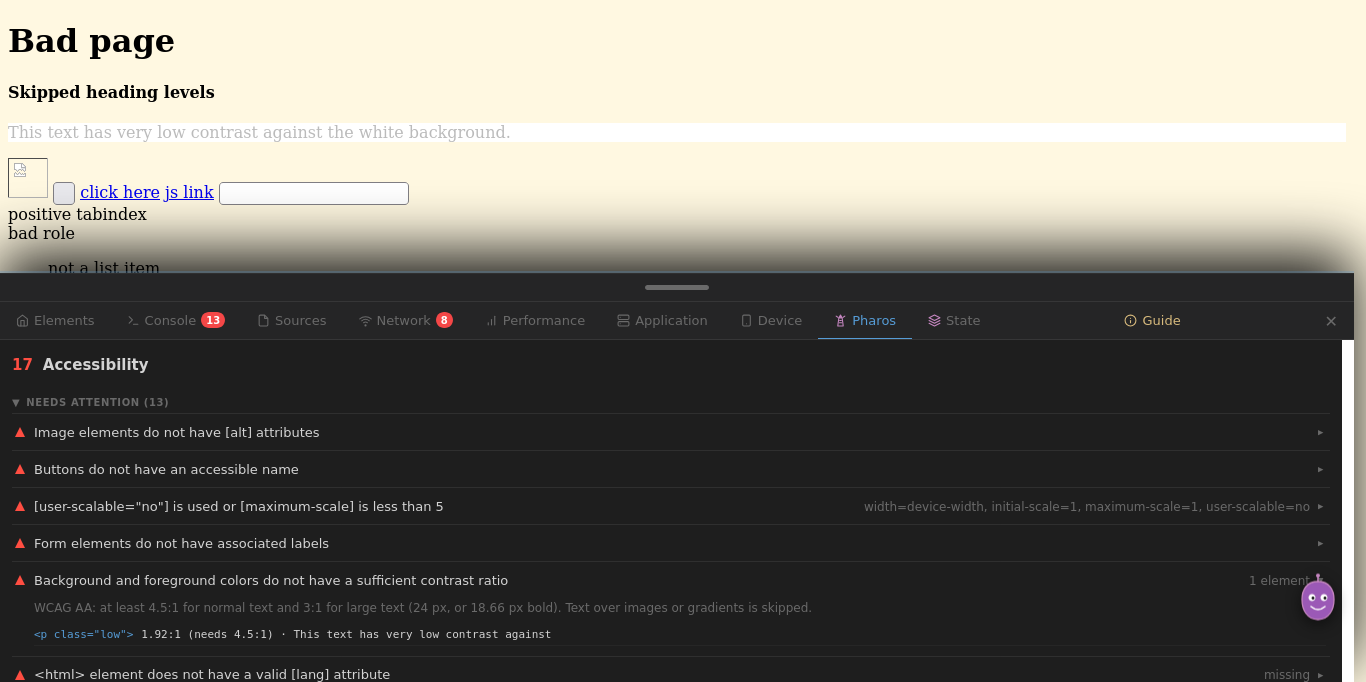
| Pharos | Lighthouse-style page audits, run on the device: Performance (FCP, LCP, CLS, TBT where available, TTFB, INP — scored with Lighthouse's log-normal curves) with opportunities and diagnostics (render-blocking resources, unused CSS, minification, compression, cache policy, image formats and sizing, lazy-loading, DOM size, font-display, third parties, redirects), Accessibility (contrast, alt text, names, labels, lang, zoom, ARIA roles, focus, headings, lists, touch-target size…), Best Practices (HTTPS and mixed content, console errors, vulnerable libraries, passive listeners, unload handlers, image aspect ratio and resolution, CSP…) and SEO (title, description, indexability, link text, crawlable links, canonical, hreflang, legible fonts, robots.txt, structured data). Each category is scored 0–100; failing elements are listed and open in Elements. Reload & analyze, comparison with the previous run, HTML and JSON reports. |
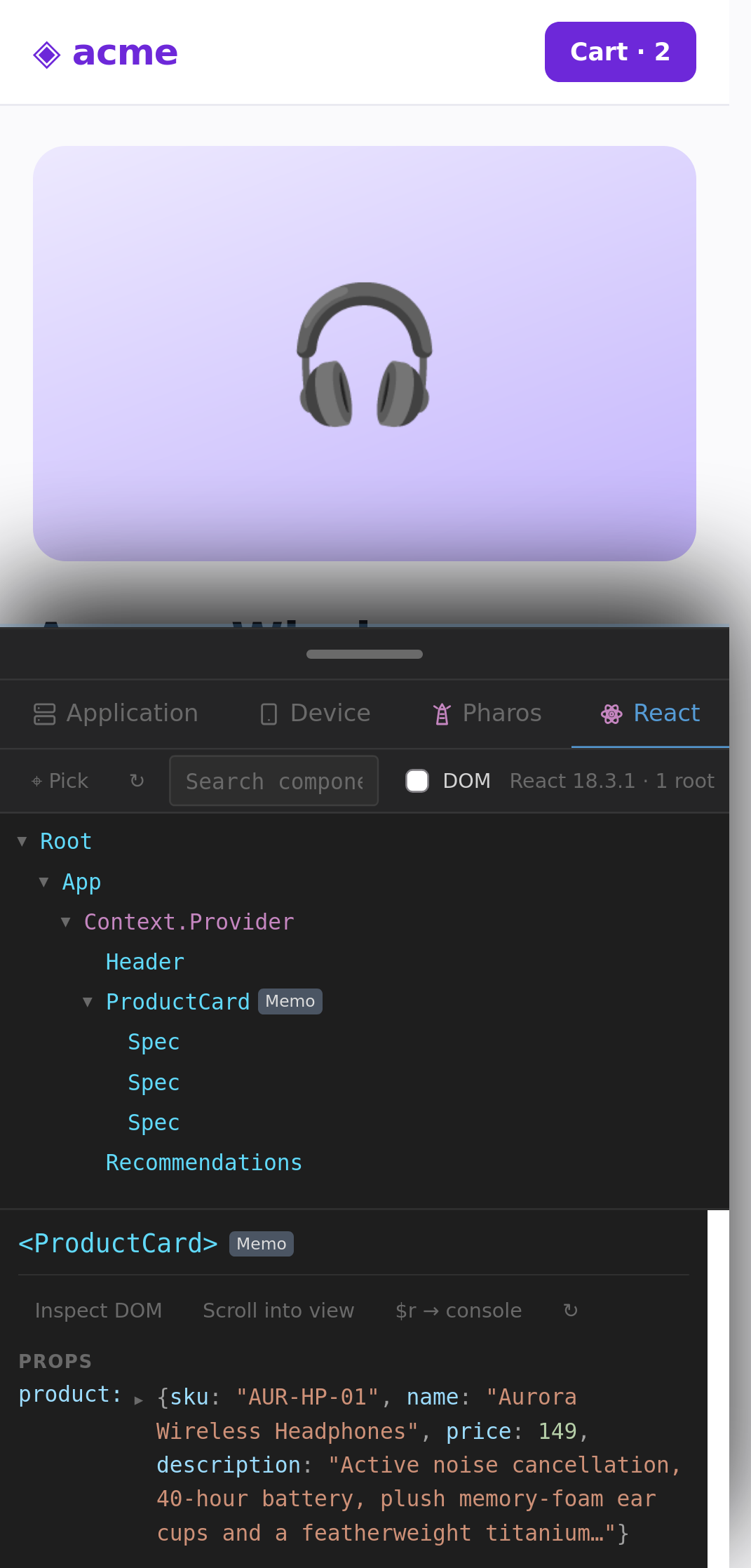
| React | Component tree of React 16–19 apps (production builds too) and of Preact 10 apps: props, state, hooks, context, keys, memo/forwardRef, "rendered by". Edit state live, $r in the console, pick a component on the page. |
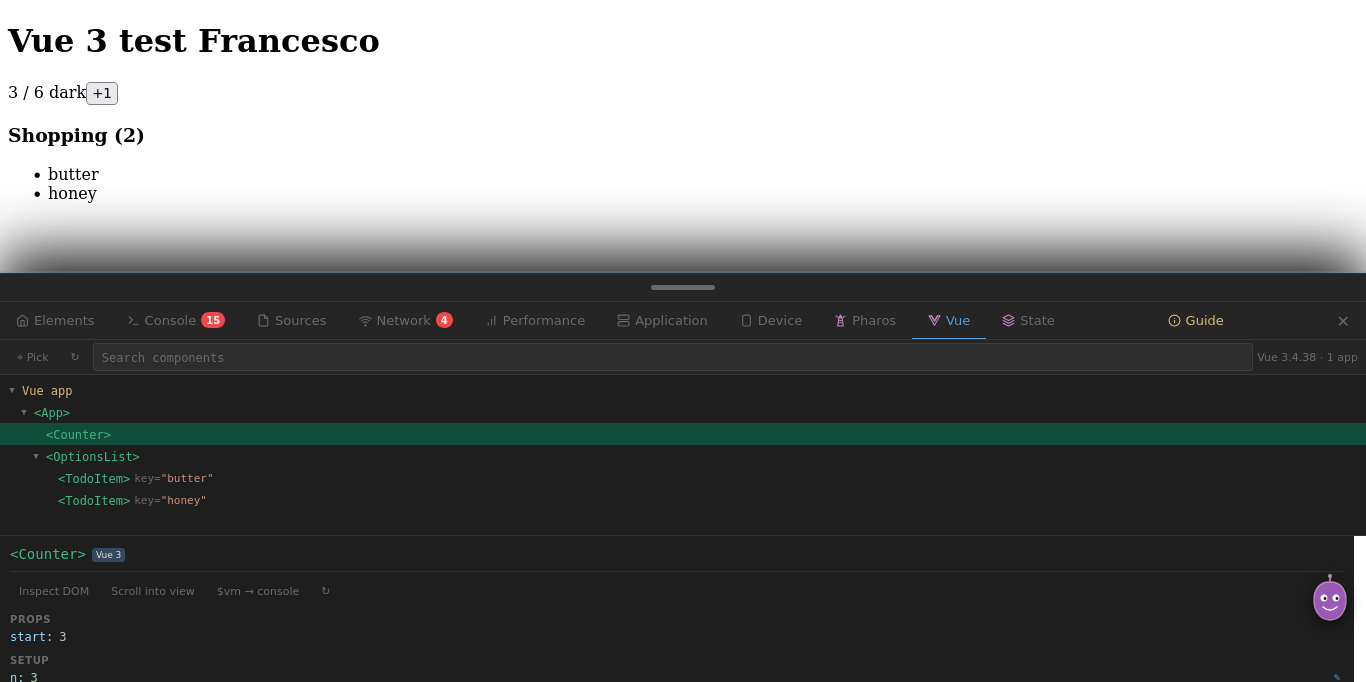
| Vue | Component tree of Vue 2 and Vue 3 apps: props, setup state, data, computed, inject/provide, attrs, refs, Pinia, Vuex, router. Edit state live, $vm in the console, pick on the page. |
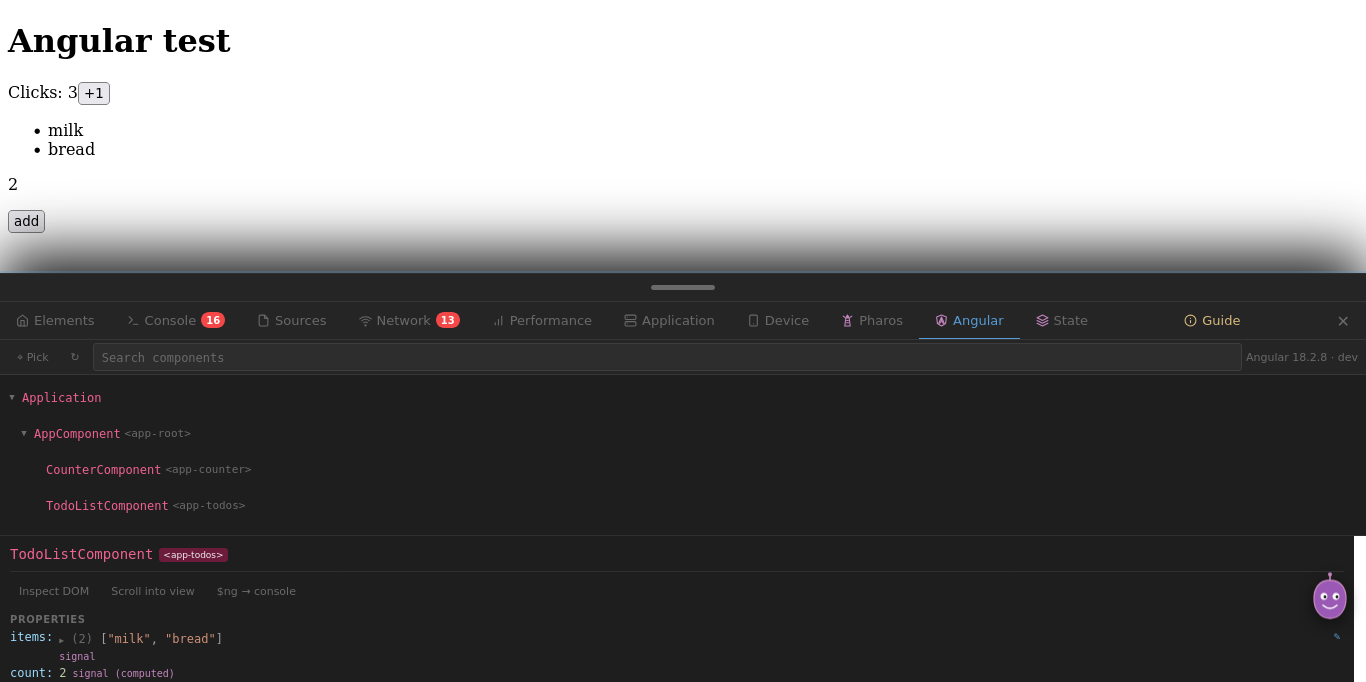
| Angular | Component tree of Angular 9+ apps. In development builds: properties and signals (editable live, then change detection runs), inputs, outputs, host directives, listeners, injector providers, $ng in the console. In production builds: the component tree. |
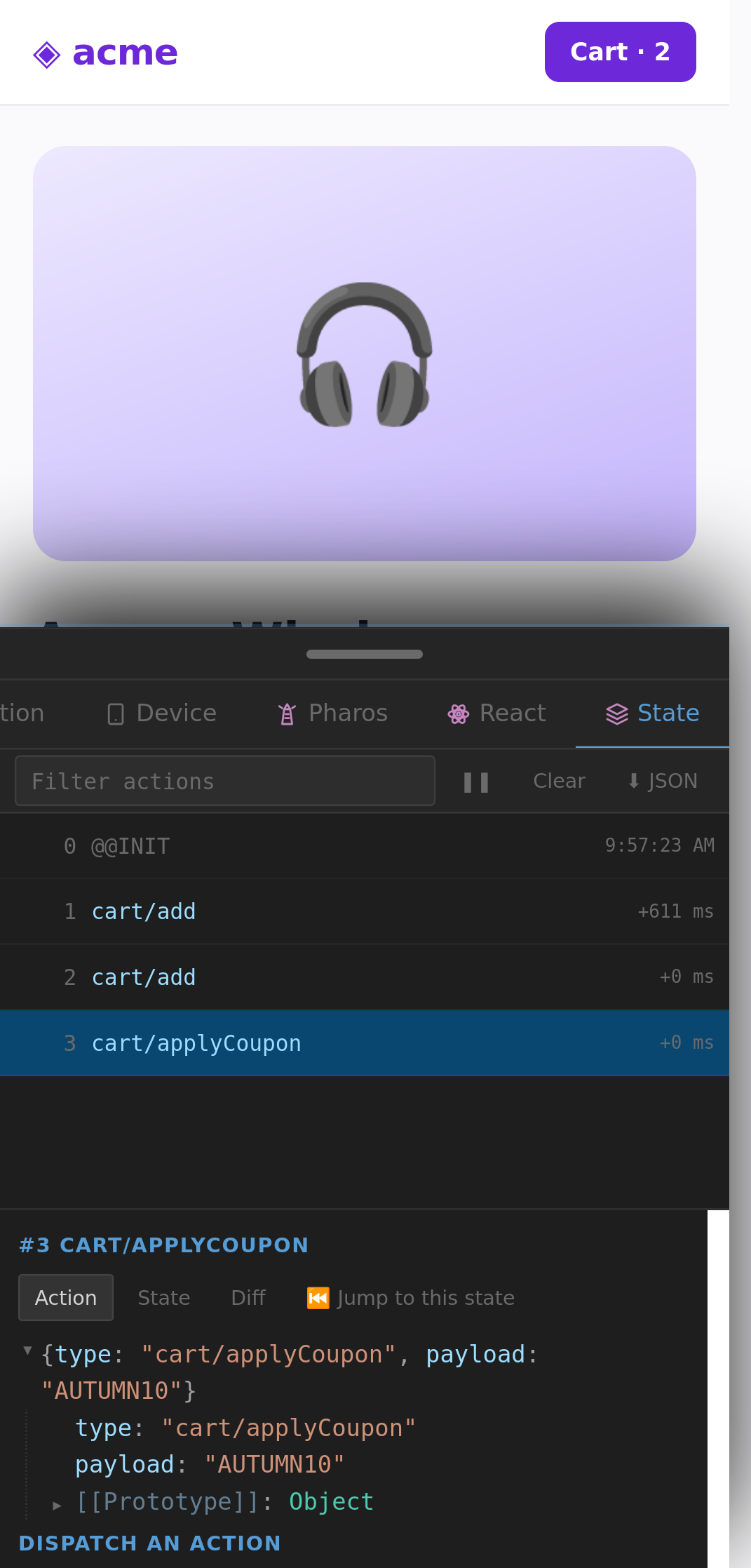
| State | Redux DevTools-compatible inspector for Redux, Redux Toolkit, Zustand, NgRx, Jotai and every library that supports Redux DevTools: action log, action payload, state, diff, time travel, dispatch an action, JSON export. |
| Guide | Built-in interactive tutorial. |
Framework tabs (React, Vue, Angular) appear only on pages that use that framework. | Your plugin | Add your own tabs: see PLUGINS.md. |
Plugins
MobiDevTools is extensible. Every extra tab is a plugin, the React and Vue tabs included.
- Extension plugins: a JavaScript file in
plugins/registered withMDT_PLUGINS.register(). - Page plugins: your own web app adds a debug tab with
window.MobiDevTools.registerPanel().
The full API reference, security model, mobile and performance guidelines, and two complete examples (examples/) are in PLUGINS.md.
Permissions — why each one is needed
| Permission | Reason |
|---|---|
<all_urls> |
The panel must be available on any page the developer wants to inspect. No data leaves the device. |
tabs |
To inject the panel into the active tab and keep its state per tab. |
webRequest |
To fill the Network panel with real request data (method, status, headers, payload, timings). |
webRequestBlocking |
Required by Firefox for webRequest.filterResponseData, used only to read (never modify) the response bodies of fetch/XHR requests, only in tabs where the user opened MobiDevTools. Data is passed through unchanged. |
webNavigation |
To keep the panel open across reloads and in-page (pushState) navigations. |
storage |
To remember the user's settings, console history, snippets and watch expressions (extension storage, not the sites' storage). |
There is no remote endpoint, no analytics, no telemetry, and no third-party network call anywhere in the codebase. The manifest declares data_collection_permissions: none.
Privacy
- Nothing leaves the user's device. All inspection happens locally.
- MobiDevTools writes nothing into the inspected sites: settings, history and snippets are kept in the extension's own storage. (Versions before 4.0 used each site's
localStorage; those keys are migrated once and removed.) - The panel lives in a closed shadow root. The page cannot read what MobiDevTools displays, such as HttpOnly cookies in the Network headers, and events inside the panel never reach the page.
- No cookies are set by the extension itself.
File layout
manifest.json        — Manifest V2, gecko id, data_collection_permissions: none
background.js        — Toolbar, injection, reload persistence, early hooks registration,
                       network capture (webRequest + filterResponseData), isolated REPL
page-hooks.js        — Captures console/errors/listeners from the page (exportFunction)
styles.js            — All CSS, exposed as window.MDT_STYLES(IS_MOBILE, IS_FF_MOBILE)
icons-data.js        — Pure data: tab icon paths and FAB icon path
beautify.js          — Syntax highlight & pretty-print for JS / CSS / HTML
assistant.js         — The friendly assistant: scripted tips, dismissable, no network
inspector.js         — Chrome-style object inspector (console, watch, plugins)
plugin-api.js        — Plugin registry (MDT_PLUGINS)
plugins/pharos.js    — Built-in plugin: Pharos page audits
plugins/react.js     — Built-in plugin: React components
plugins/vue.js       — Built-in plugin: Vue components
plugins/angular.js   — Built-in plugin: Angular components
plugins/state.js     — Built-in plugin: State (Redux DevTools protocol)
contentScript.js     — The panel: UI, state, all core panels (no eval, no innerHTML)
examples/            — Plugin examples (extension plugin, page plugin)
PLUGINS.md           — Plugin developer guide
SOURCES.md           — Notes for addons.mozilla.org reviewers
CHANGELOG.md         — What changed
icons/               — 16 / 32 / 48 / 128 PNG icons
_locales/            — English and Italian strings
Injection order (toolbar click): styles.js → icons-data.js → beautify.js → assistant.js → page-hooks.js → inspector.js → plugin-api.js → plugins/pharos.js → plugins/react.js → plugins/vue.js → plugins/angular.js → plugins/state.js → contentScript.js. For sites where the panel has been opened, page-hooks.js is also registered at document_start.
Build & run locally
There is no build step. The repository is the source and the source is the package.
npm install --global web-ext
web-ext lint                         # lint
web-ext run                          # temporary Firefox profile
web-ext run -t firefox-android       # on an Android device (adb)
web-ext build --overwrite-dest       # packaged .zip in web-ext-artifacts/
Compatibility
- Firefox for Android — primary target
- Firefox Desktop — recent versions
- Manifest V2, persistent background page (required to keep
webRequestlisteners alive).
Performance
- Console output reaches the panel in asynchronous batches: the page never waits for MobiDevTools.
- The console keeps at most 600 (mobile) / 1000 (desktop) rows in the DOM, with older rows one tap away. The source viewer renders only the visible lines. Network and console updates are batched per animation frame.
- CSS containment on heavy lists,
requestIdleCallbackfor non-urgent work,prefers-reduced-motionhonoured.
Limitations
- Pausing JavaScript is not possible from a Firefox extension. Chrome's
chrome.debuggerAPI has no Firefox equivalent. The Debugger sidebar therefore offers tools that observe without stopping: live watch expressions, logpoints on fetch/XHR, DOM changes and events, global listeners, CSP violations. Gutter "breakpoints" are bookmarks. For real stepping, use Firefox Desktop'sabout:debuggingwith your phone connected over USB. - On pages whose CSP blocks scripts added by extensions, the console runs your code in an isolated context. It has full access to the page's DOM and globals, but the variables you declare stay in the console, and callbacks you pass to the page (e.g.
setTimeout) cannot be called by it. The console tells you when this mode is active. - The response body is captured for fetch/XHR requests made while MobiDevTools is open on the tab. Other resources are re-read from the browser cache on demand.
- Event listeners added before MobiDevTools was first opened on a site are listed after a reload. The same goes for the State tab: state managers look for Redux DevTools when the store is created, so they connect after a reload.
- The State tab works only when the app enables devtools support. That is the default in development for Redux Toolkit and NgRx; Zustand needs the
devtools()middleware. Its production builds disable it unlessenabled: trueis set. - Pharos measures the page on the device it runs on, during the current load, without CPU or network throttling: numbers differ from a Lighthouse lab run. Speed Index cannot be measured from inside a page, and Total Blocking Time needs the Long Tasks API, which Firefox does not expose; the remaining metrics carry the weight.
- Workspace imports are read-only.
License
MIT — see LICENSE.txt.
This add-on has been rebuilt from scratch by Francesco De Stefano, the original author of MobiDevTools (which was originally based on eruda). The current codebase shares no code with eruda; the architecture, UI, panels, and event flow have been written from zero for Firefox Mobile.